

Running a high-traffic website is exciting—but it also comes with major challenges. When thousands (or even millions) of visitors hit your site daily, your hosting service becomes the backbone of performance. Choosing the right hosting option is not just about keeping your site live—it’s about ensuring speed, uptime, scalability, and security.
In this guide, we’ll explore the best hosting options for high-traffic websites in detail. Whether you run a WordPress blog, an eCommerce store, a SaaS application, or a news portal, this article will help you choose the right hosting solution to handle heavy loads without compromising user experience.
Why Hosting Matters for High-Traffic Websites
Before diving into hosting types, it’s crucial to understand why hosting is so important for websites that attract large audiences.
- Performance and Speed – Slow websites lose visitors quickly. A 1-second delay in page load can reduce conversions by up to 7%. With high traffic, poor hosting can make delays worse.
- Scalability – High-traffic sites experience sudden spikes (e.g., product launches, sales, viral posts). Good hosting scales resources automatically to handle these surges.
- Security – More traffic also means more vulnerability to cyber-attacks, DDoS, and malware. A strong hosting plan offers firewalls, SSL, backups, and monitoring.
- Reliability (Uptime) – High traffic is useless if the site keeps going down. Hosting providers guarantee uptime, usually 99.9% or higher, which is critical for revenue-driven businesses.
- Resource Management – High-traffic websites need dedicated resources (CPU, RAM, bandwidth) to function smoothly. Shared hosting simply won’t work in such cases.
Types of Hosting for High-Traffic Websites
When traffic grows beyond a few thousand daily visitors, it’s time to upgrade from standard shared hosting. Below are the main hosting types suitable for high-traffic websites.
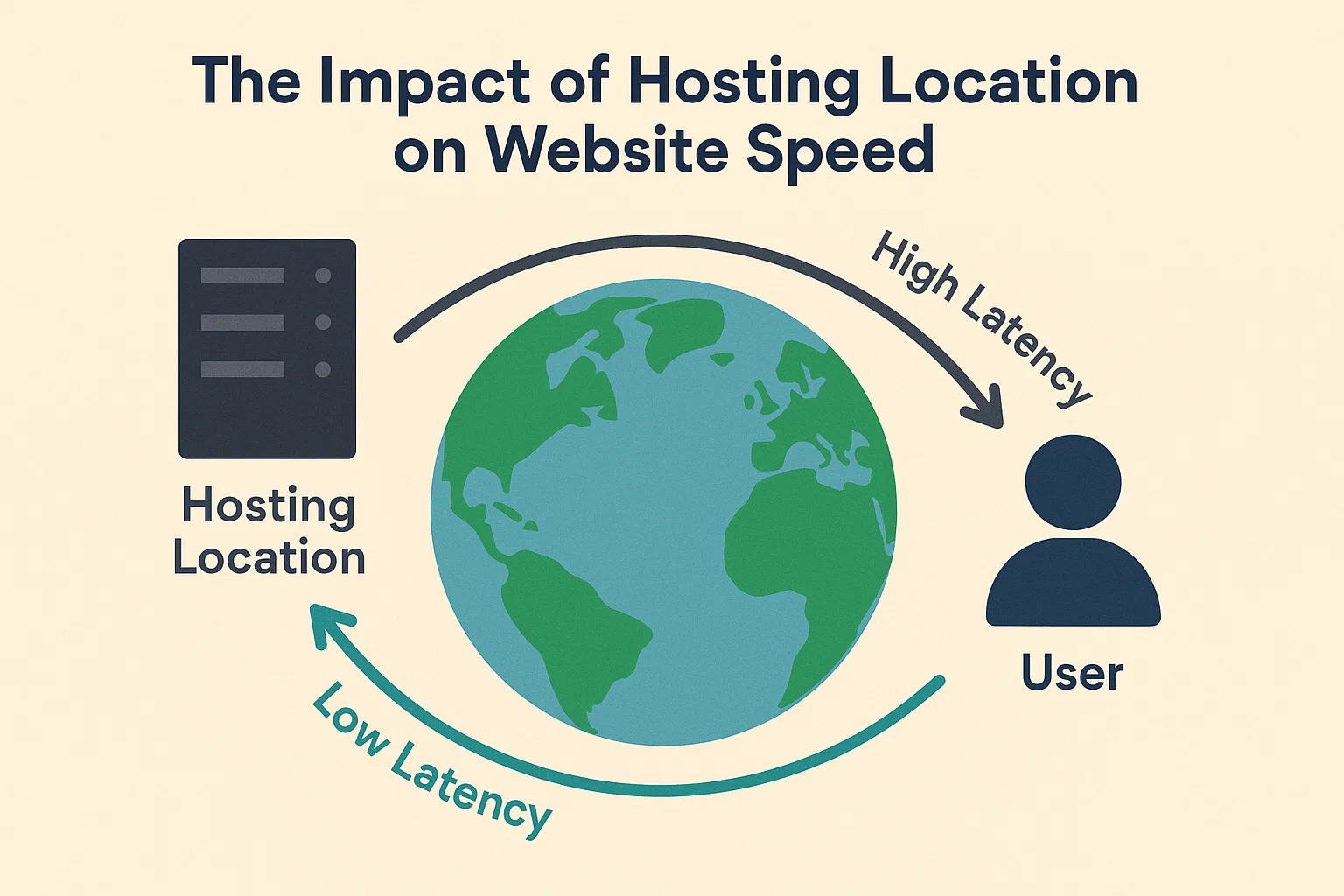
Summary Table: Hosting Location & Website Speed
| Hosting Location Factor | Impact on Speed | Suitable For | Estimated Cost (₹) |
|---|---|---|---|
| Local Server (Same Country) | Fastest load times for nearby users | Local businesses, regional sites | 200–1,000/mo (Hostinger, Bluehost) |
| Nearby Region Server | Slight delay, but still reliable | Small eCommerce, blogs | 500–2,000/mo (GoDaddy, SiteGround) |
| Distant Server (Other Continent) | Noticeable lag due to long data travel | Global websites with CDN enabled | 1,000–3,000/mo (AWS, DigitalOcean) |
| CDN Integration (Cloudflare/Akamai) | Distributes content globally, reduces latency | High-traffic global businesses | 1,500–5,000/mo (Cloudflare, Akamai) |
| Shared Hosting (Single Server) | Slower during peak traffic | Low-budget startups | 200–800/mo (HostGator, BigRock) |
| VPS Hosting (Regional) | Better stability & medium speed | SMEs, growing sites | 1,000–4,000/mo (Linode, Hostinger) |
| Dedicated Hosting (Local Server) | Very fast, full control | Large enterprises | 5,000–15,000/mo (Bluehost, HostGator) |
| Cloud Hosting (Multiple Regions) | Auto-adjusts to nearest server | Scalable businesses, apps | 2,000–8,000/mo (AWS, GCP, Azure) |
| Edge Servers (Advanced CDN) | Ultra-low latency near user location | Streaming platforms, fintech apps | 5,000–20,000/mo (Fastly, Cloudflare) |
| Data Center Tier (Uptime) | Affects reliability & response speed | Mission-critical websites | Varies by provider (Tier III/IV) |
1. VPS Hosting (Virtual Private Server)
VPS hosting offers a balance between affordability and performance. Unlike shared hosting, a VPS allocates dedicated portions of CPU, RAM, and storage to your website.
- Pros:
- More reliable than shared hosting
- Scalable resources
- Affordable compared to dedicated servers
- Root access for advanced customization
- Cons:
- Requires some technical knowledge
- Still limited compared to dedicated hosting
- Best For: Medium-sized blogs, small eCommerce stores, and growing startups with moderate traffic (50k–500k monthly visitors).
2. Dedicated Hosting
A dedicated server gives you complete control over hardware and software resources. This is one of the most powerful hosting solutions available.
- Pros:
- Full control over server environment
- High-level performance and security
- Handles millions of monthly visitors
- No competition for server resources
- Cons:
- Expensive
- Requires advanced server management skills
- Scalability is slower compared to cloud hosting
- Best For: Large eCommerce sites, enterprise-level businesses, news portals, and applications with consistent high traffic.
3. Cloud Hosting
Cloud hosting is the most popular choice for high-traffic websites today. Instead of relying on a single server, it uses a network of virtual servers to balance load and provide redundancy.
- Pros:
- Highly scalable (pay-as-you-go)
- Uptime is excellent due to redundancy
- Handles sudden traffic spikes with ease
- Global reach with Content Delivery Networks (CDNs)
- Cons:
- Costs can increase with unexpected surges
- Some providers limit customization
- Best For: Startups, SaaS platforms, global businesses, and sites with unpredictable or fluctuating traffic.
4. Managed WordPress Hosting
If your high-traffic website is built on WordPress, managed hosting is an excellent option. These providers specialize in optimizing WordPress for speed, scalability, and security.
- Pros:
- WordPress-optimized performance
- Automatic updates and backups
- Strong security and CDN integration
- Expert support for WordPress issues
- Cons:
- Higher cost than traditional hosting
- Limited flexibility for non-WordPress sites
- Best For: Popular blogs, news websites, affiliate marketers, and content creators using WordPress.
5. Colocation Hosting
Colocation hosting is when you rent physical space in a data center for your own servers. This gives you total control, but also full responsibility.
- Pros:
- Maximum control and customization
- Enhanced security and compliance
- Excellent for enterprise-grade infrastructure
- Cons:
- Very expensive
- Requires in-house IT expertise
- Not beginner-friendly
- Best For: Corporations with in-house IT teams, custom software applications, and businesses with strict compliance requirements.
Key Features to Look for in High-Traffic Hosting
No matter which hosting type you choose, there are certain features you should always look for:
- Scalability – Ability to upgrade resources instantly.
- High Bandwidth & Storage – To handle large traffic and media-heavy content.
- 99.99% Uptime Guarantee – Ensures your site stays online 24/7.
- DDoS Protection & Security – Firewalls, SSL, backups, and malware scanning.
- Global CDN – For faster content delivery worldwide.
- 24/7 Expert Support – Critical when traffic spikes or technical issues occur.
- Automatic Backups – Protects against data loss during crashes.
- Developer-Friendly Tools – Root access, staging environments, and integrations.
Top Hosting Providers for High-Traffic Websites
Here are some of the best hosting companies that consistently deliver top performance for high-traffic sites.
1. SiteGround
- Known for its managed WordPress hosting.
- Offers scalable cloud hosting solutions.
- Strong security, free CDN, and daily backups.
2. Kinsta
- Premium managed WordPress hosting.
- Built on Google Cloud Platform for speed and reliability.
- Excellent developer tools and 24/7 support.
3. WP Engine
- One of the best managed WordPress hosting providers.
- Performance-focused with advanced caching.
- Ideal for high-traffic WordPress blogs and businesses.
4. Bluehost VPS & Dedicated Hosting
- Affordable VPS and dedicated hosting solutions.
- Free SSL, domain, and 24/7 support.
- Good choice for medium to large businesses.
5. HostGator Cloud Hosting
- Offers flexible cloud hosting with scalability.
- Built-in caching and resource allocation.
- Affordable plans for growing businesses.
6. Cloudways
- Managed cloud hosting built on AWS, Google Cloud, DigitalOcean, and more.
- Pay-as-you-go pricing with flexibility.
- Excellent performance for scaling applications.
7. Amazon Web Services (AWS)
- Industry leader in cloud hosting.
- Extremely scalable with pay-per-use model.
- Ideal for enterprises and startups with global reach.
8. Google Cloud Platform (GCP)
- Strong infrastructure with AI and machine learning integrations.
- High scalability and reliability.
- Trusted by tech giants and enterprises.
9. Microsoft Azure
- Enterprise-grade cloud hosting.
- Advanced analytics, AI, and hybrid solutions.
- Perfect for organizations already using Microsoft products.
How to Choose the Right Hosting for Your Website
The best hosting option depends on your business goals, budget, and technical expertise. Consider these factors before making a decision:
- Traffic Volume – Estimate your current and future visitors. Choose a plan that supports growth.
- Budget – Cloud and managed hosting are cost-effective for scaling, while dedicated hosting is pricier.
- Technical Skills – If you don’t have server management expertise, go for managed hosting.
- Type of Website – A WordPress blog, SaaS app, or eCommerce store may require specialized hosting.
- Global Audience – If your traffic comes worldwide, ensure the provider has global data centers and CDN integration.
- Support Needs – 24/7 support is critical when dealing with high traffic and potential downtime.
Cost Comparison: Hosting for High-Traffic Sites
Here’s a rough cost breakdown for different hosting types:
- VPS Hosting: $20 – $100/month
- Dedicated Hosting: $120 – $500+/month
- Cloud Hosting: $10 – $300/month (scales with usage)
- Managed WordPress Hosting: $25 – $200/month
- Colocation Hosting: $500 – $2000+/month (plus hardware costs)
Note: Prices vary by provider, resources, and add-ons.
Best Practices to Optimize High-Traffic Websites
Even with great hosting, you must optimize your site to ensure smooth performance.
- Use a CDN – Deliver content faster worldwide.
- Optimize Images – Compress images without losing quality.
- Enable Caching – Use server-side and browser caching.
- Minimize Plugins – Avoid unnecessary WordPress plugins.
- Load Balancing – Distribute traffic across multiple servers.
- Database Optimization – Clean up unused data regularly.
- Use Lightweight Themes – Avoid heavy templates that slow down loading.
- Monitor Performance – Tools like Google Analytics, GTmetrix, and Pingdom help track site speed.
Final Thoughts
Choosing the best hosting option for high-traffic websites is one of the most important business decisions you’ll make. Your hosting provider determines not just how fast your site loads, but also how well it scales, stays secure, and delivers a seamless user experience.
For most businesses, cloud hosting and managed WordPress hosting are the best options due to their scalability and ease of use. Enterprises or mission-critical platforms may benefit from dedicated servers or even colocation hosting if they need complete control.
