
In today’s digital-first world, web development has become one of the most sought-after skills. Every business, from a small local shop to a multinational corporation, needs a website to establish its online presence. Traditionally, people believed that to become a successful web developer, you needed a computer science degree or years of formal education. However, that’s no longer true.
The good news? You can learn web development without a degree—and thousands of self-taught developers have already proven it possible. With the right roadmap, consistency, and practical approach, you can build a strong career in web development and even land high-paying jobs or freelance projects.
In this detailed guide, we’ll explore step-by-step how you can learn web development on your own, the tools and resources you need, and how to turn your learning into a successful career.
Why You Don’t Need a Degree for Web Development
Before we dive into the learning process, let’s clear a common misconception. Many people assume a degree is mandatory to work in tech. The reality is:
- Skill matters more than a certificate – Employers and clients want results. If you can build responsive, user-friendly, and functional websites, your portfolio will speak louder than a degree.
- The industry evolves quickly – By the time a university syllabus is updated, the industry has already shifted to newer tools and frameworks. Self-learners can adapt faster.
- Abundance of resources – The internet offers free and paid tutorials, bootcamps, coding platforms, and communities that make learning accessible to everyone.
- Real-world proof – Thousands of developers work at big companies like Google, Microsoft, or as freelancers without ever earning a computer science degree.
Summary Table: Roles & Pay Scale – How to Learn Web Development Without a Degree
| Role | Experience | Education / Learning Path | Estimated Salary (₹) |
|---|---|---|---|
| HTML/CSS Beginner | 0–1 yr | Self-taught / Online tutorials | 2–4 lakh/year |
| Junior Frontend Developer | 0–2 yrs | Bootcamp / Udemy / FreeCodeCamp | 3–6 lakh/year |
| Junior Backend Developer | 0–2 yrs | Self-taught / Online courses | 4–7 lakh/year |
| Full-Stack Developer (Entry) | 1–3 yrs | Projects + GitHub portfolio | 5–9 lakh/year |
| Freelance Web Developer | 1–4 yrs | Self-learned + Client projects | 3–12 lakh/year (var.) |
| Frontend Developer (React/JS) | 2–4 yrs | Bootcamp / Certifications | 6–12 lakh/year |
| Backend Developer (Node.js) | 2–4 yrs | Online courses + Hands-on work | 7–14 lakh/year |
| Full-Stack Developer (Mid) | 3–6 yrs | Projects + Open Source work | 10–18 lakh/year |
| Web Development Consultant | 6+ yrs | Portfolio + Industry Experience | 15–25 lakh/year |
Step 1: Understand What Web Development Is
Web development is the process of building and maintaining websites. It has three main areas:
- Front-End Development (Client-Side)
- What users see on the screen: design, navigation, layout, images, and buttons.
- Languages used: HTML, CSS, JavaScript.
- Back-End Development (Server-Side)
- What happens behind the scenes: databases, servers, and application logic.
- Technologies: Node.js, Python, PHP, Ruby, Java.
- Full-Stack Development
- A combination of front-end and back-end skills.
- Full-stack developers handle both sides of web development.
Understanding these areas will help you decide whether you want to start as a front-end, back-end, or full-stack developer.
Step 2: Start with the Basics
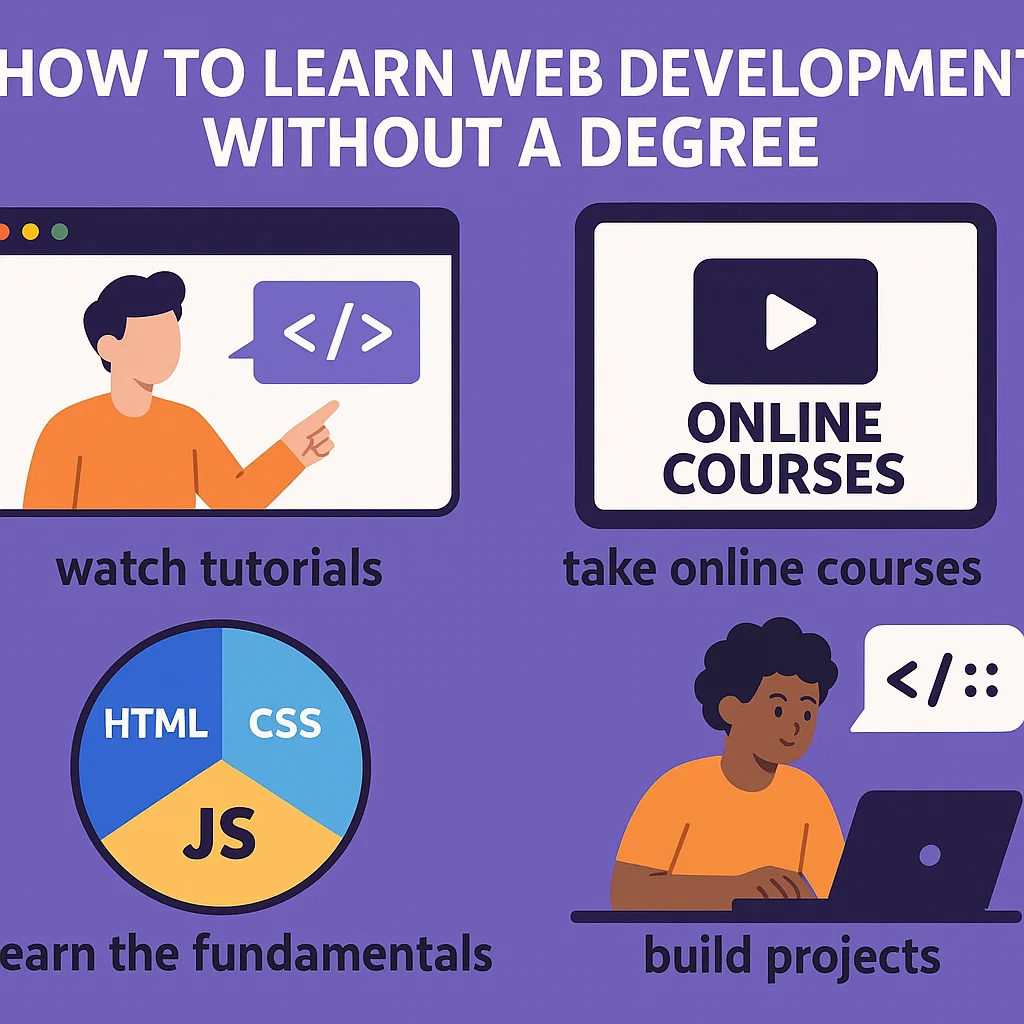
The foundation of web development lies in three core technologies:
- HTML (HyperText Markup Language)
- The structure of a webpage.
- Learn to create headings, paragraphs, forms, tables, and links.
- CSS (Cascading Style Sheets)
- Controls the appearance of the website.
- Helps you add colors, layouts, fonts, animations, and responsiveness.
- JavaScript
- The brain of the website.
- Makes your site interactive (e.g., dropdown menus, image sliders, dynamic content).
📌 Pro Tip: Use platforms like FreeCodeCamp, MDN Web Docs, or W3Schools to get started.
Step 3: Learn Responsive Design
With more people browsing on smartphones, responsive design is a must-have skill.
- Learn CSS Flexbox and CSS Grid for layouts.
- Explore frameworks like Bootstrap or Tailwind CSS.
- Practice designing sites that look good on desktops, tablets, and phones.
Step 4: Dive into JavaScript Frameworks and Libraries
Once you’re comfortable with vanilla JavaScript, move to popular frameworks and libraries:
- React.js – Widely used for front-end development.
- Vue.js – Beginner-friendly and flexible.
- Angular – Robust but has a steep learning curve.
These frameworks help build modern, scalable, and high-performing applications.
Step 5: Back-End Development Basics
After front-end, it’s time to learn how the server works:
- Languages & Frameworks: Node.js (JavaScript), Django (Python), Ruby on Rails, or Laravel (PHP).
- Databases: Learn SQL (MySQL, PostgreSQL) and NoSQL (MongoDB).
- APIs: Understand how to create and consume APIs to connect front-end with back-end.
Step 6: Version Control with Git and GitHub
No developer can survive without version control systems.
- Learn Git commands (commit, push, pull, merge).
- Use GitHub to host projects, collaborate with others, and showcase your portfolio.
This is a must-have skill for both freelancing and jobs.
Step 7: Hands-On Projects (Build, Build, Build!)
The best way to learn web development is by building real projects. Start small, then scale up:
- Personal portfolio website
- To-do list app
- Blog platform
- E-commerce website
- Weather application using APIs
The more you build, the stronger your portfolio becomes.
Step 8: Learn Deployment and Hosting
Building websites is one thing, but making them live is another. Learn how to:
- Use platforms like Netlify, Vercel, and GitHub Pages for front-end hosting.
- Use Heroku, Render, or AWS for back-end apps.
- Buy a domain and set up web hosting (e.g., Bluehost, Hostinger).
Step 9: Soft Skills and Career Growth
Apart from technical skills, focus on:
- Problem-solving – Debugging and troubleshooting are part of daily work.
- Communication – Crucial for freelancing and teamwork.
- Continuous learning – Tech changes fast; stay updated.
Step 10: Freelancing or Job Hunting
Once you have skills and a portfolio, it’s time to monetize them.
- Freelancing
- Platforms: Upwork, Fiverr, Toptal, Freelancer.
- Build client relationships and gather testimonials.
- Full-time Jobs
- Apply on LinkedIn, Indeed, Glassdoor, and company websites.
- Highlight your portfolio and GitHub projects in your resume.
📌 Pro Tip: Many recruiters care more about your portfolio than your degree.
Common Challenges and How to Overcome Them
- Information Overload: Start with one roadmap and stick to it. Don’t jump between too many resources.
- Imposter Syndrome: Even experienced developers feel it. Keep building and comparing progress with yourself, not others.
- Consistency: Learning a little every day is better than cramming. Follow a daily or weekly learning schedule.
Resources to Learn Web Development Without a Degree
Here are some excellent platforms:
- Free (Self-Paced):
- FreeCodeCamp
- MDN Web Docs
- W3Schools
- The Odin Project
- Paid Courses:
- Udemy (popular instructors like Colt Steele, Jonas Schmedtmann)
- Coursera (Meta, University of London courses)
- Scrimba (interactive learning)
- YouTube Channels:
- Traversy Media
- Programming with Mosh
- The Net Ninja
Building a Portfolio that Stands Out
A strong portfolio can replace a degree. Include:
- A clean, responsive design.
- 4–6 real-world projects.
- A section about you, your skills, and your journey.
- Links to GitHub and LinkedIn.
Success Stories: Real Developers Without Degrees
- Chris Sean – Dropped out of college, self-taught web developer, and now a successful YouTuber.
- Jessica Chan (Coder Coder) – Self-taught front-end developer who now teaches thousands online.
- Freelancers on Upwork – Many top-rated developers on freelance platforms are self-taught.
Their journeys prove that passion and persistence matter more than formal education.
Final Thoughts
Learning web development without a degree is absolutely possible. In fact, being self-taught shows employers and clients that you are resourceful, disciplined, and motivated—qualities every developer needs.
The key is to:
- Start with the basics (HTML, CSS, JS).
- Build projects and practice daily.
- Learn frameworks, back-end, and deployment.
- Create a portfolio that showcases your skills.
- Apply for jobs or freelance confidently.
