

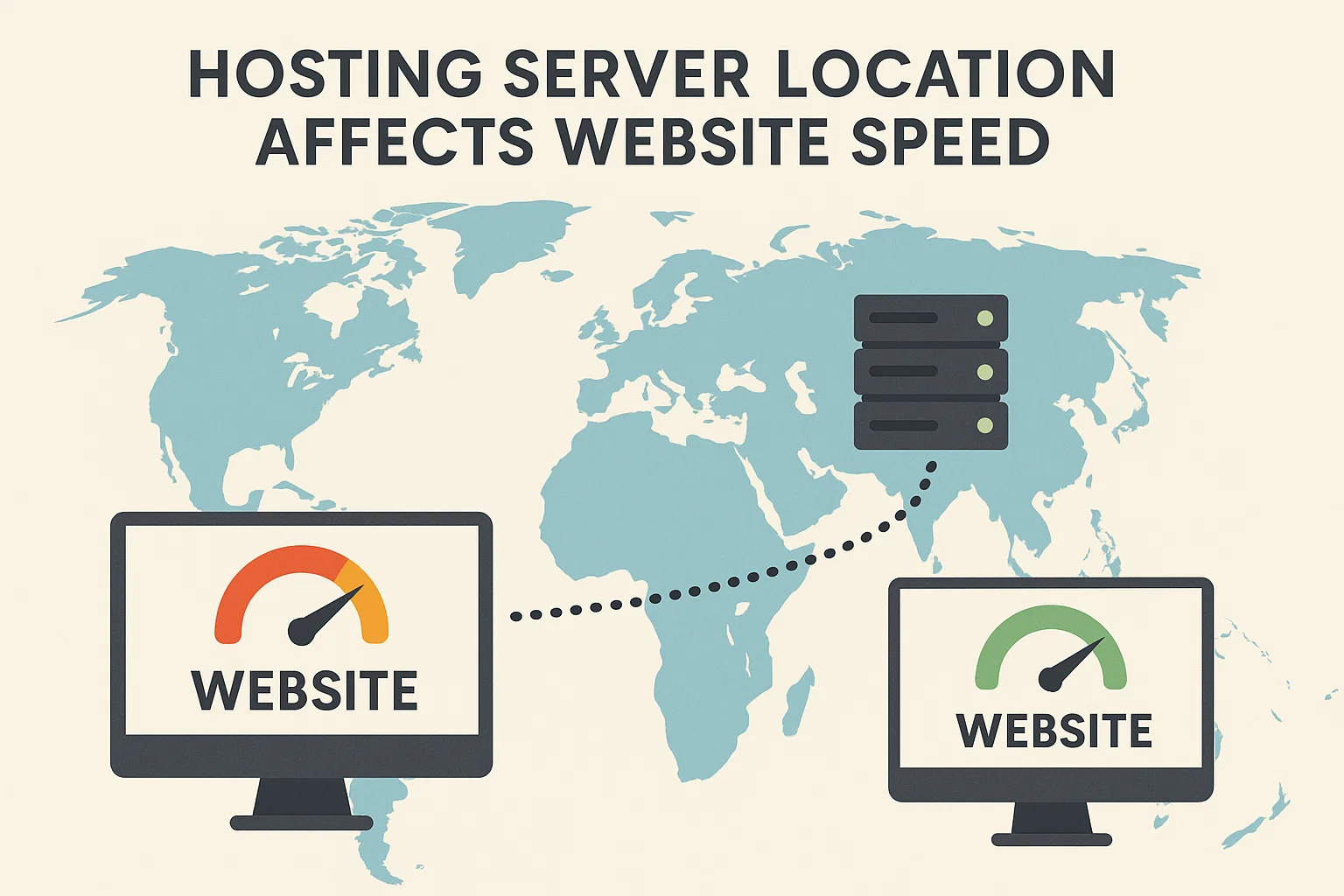
When it comes to building a successful website, speed is one of the most critical factors. A fast-loading website not only improves user experience but also boosts search engine rankings and conversion rates. While many people focus on optimizing images, using caching, or choosing lightweight themes, one aspect often overlooked is the location of your hosting server. The physical location of your hosting server has a direct effect on website speed and overall performance.
In this article, we’ll explore how the hosting server location influences website speed, why it matters for SEO and user experience, and how you can choose the right server location for your website.
1. Understanding Hosting Server Location
When you purchase web hosting, your website’s files are stored on a physical server in a data center. This server can be located anywhere in the world — the United States, Europe, Asia, or India.
The server location refers to the geographical location of the data center where your hosting provider stores your website files. Whenever someone visits your website, their browser sends a request to this server to load the content. The distance between the user and the server can impact how quickly the content is delivered.
In simple terms:
- The closer the server is to your user, the faster the response time.
- The farther the server, the longer it takes for data to travel, resulting in higher latency and slower loading times.
2. How Server Location Affects Website Speed
2.1 Latency and Response Time
Latency is the time it takes for a data packet to travel from the user’s device to your server and back. If your website is hosted on a server located far away from your visitors, the latency increases, causing slower page load times.
Example:
- A visitor in India accessing a website hosted in India might experience a latency of ~30 milliseconds.
- The same visitor accessing a website hosted in the US could experience a latency of ~250 milliseconds or more.
While this might seem small, these milliseconds add up, especially when multiple requests are made to load all website assets.
Summary Table: Impact of Hosting Server Location on Website Speed
| Server Location | Average Latency | Best For Users In | Speed Impact | Estimated Hosting Cost (₹/mo) |
|---|---|---|---|---|
| India (Local Hosting) | 20–50 ms | India, South Asia | Very fast load times | 500 – 1,500 |
| USA (East/West) | 100–180 ms | North & South America | Moderate for Asia, fast for US | 800 – 2,500 |
| Europe (Germany/UK) | 80–150 ms | Europe, Middle East | Fast for EU, moderate for Asia | 1,000 – 3,000 |
| Singapore | 50–90 ms | Asia-Pacific region | Optimal for SEA, decent for India | 800 – 2,000 |
| Australia | 120–200 ms | Australia, NZ | Fast for AU/NZ, slow for EU/US | 1,200 – 3,500 |
| Middle East (UAE) | 70–120 ms | Middle East, Africa | Good for ME & Africa users | 1,000 – 2,800 |
| Canada | 120–180 ms | North America | Fast for NA, slower in Asia | 1,000 – 2,200 |
| Japan | 60–100 ms | Japan, East Asia | Best for Japan & East Asia | 1,200 – 2,500 |
| South America (Brazil) | 150–250 ms | Latin America | Good for LATAM, slow in Asia | 900 – 2,000 |
| Global CDN (Anycast) | 20–60 ms (anywhere) | Worldwide | Consistently fast across regions | 2,000 – 5,000 |
2.2 Network Routing and Hops
Data traveling from the user to the server may pass through several intermediate networks, known as “hops.” The greater the physical distance, the more hops are involved, which increases the possibility of slowdowns, congestion, or packet loss.
2.3 Impact on Mobile Users
With the rise of mobile internet users, network latency becomes even more crucial. Mobile networks often have higher latency than broadband connections, making server location even more critical to deliver fast experiences.
3. Server Location and Search Engine Optimization (SEO)
Google and other search engines care about website speed and user experience. Here’s how server location indirectly affects your SEO:
- Page Speed as a Ranking Factor: Search engines prioritize websites that load faster. If your website loads slowly because of distant servers, your rankings may drop.
- Local Search Signals: Search engines use server location as one of many signals to determine the geographical relevance of a website. For example, if your server is in India but your target audience is in the US, it may confuse search engines about your target market.
- Bounce Rates: A slow-loading website increases bounce rates, signaling poor user experience to search engines.
4. Server Location and User Experience
4.1 First Impressions Matter
Studies show that 53% of users abandon a website if it takes longer than 3 seconds to load. This means if your website is slow due to a distant server location, you’re losing potential customers.
4.2 E-commerce and Conversions
For e-commerce websites, speed directly affects sales. A one-second delay in page load time can reduce conversions by up to 7%. Hosting your site close to your customers can significantly reduce this risk.
4.3 User Trust
Fast websites feel more trustworthy and professional. Slow-loading sites frustrate users and can harm your brand’s reputation.
5. Choosing the Right Server Location for Your Website
5.1 Identify Your Target Audience
The first step is to understand where most of your visitors come from. You can use tools like Google Analytics to identify your audience’s geographical location. Once you know your audience, select a server close to them.
Example:
- If your audience is primarily in India, choose a server in Mumbai, Delhi, or Bangalore.
- If your audience is in Europe, select a European server location such as Frankfurt or Amsterdam.
5.2 Global vs. Local Audience
If your website targets a global audience, a single server location may not be enough. In such cases, using a Content Delivery Network (CDN) is crucial.
6. Content Delivery Networks (CDNs): The Global Solution
A CDN is a network of servers located around the world. When a user visits your website, the CDN delivers the content from the server closest to them rather than your main hosting server. This drastically reduces latency and improves speed.
Benefits of Using a CDN:
- Faster Load Times: Deliver content from the nearest server.
- Reduced Bandwidth Costs: Offload traffic from your primary server.
- Improved Availability: If one server goes down, the CDN reroutes traffic to another.
- Enhanced Security: Many CDNs include DDoS protection and SSL support.
Popular CDN providers include Cloudflare, Akamai, Amazon CloudFront, and BunnyCDN.
7. Server Location and Website Hosting Types
Different hosting types may offer different server location options:
- Shared Hosting: Limited location choices, usually cheaper but slower.
- VPS Hosting: More control, including the option to choose your preferred server region.
- Dedicated Hosting: Full control over your server and its physical location.
- Cloud Hosting: Hosting on a global infrastructure, allowing flexibility and scalability.
If speed and location flexibility matter to you, cloud hosting and VPS hosting generally offer more options than traditional shared hosting.
8. How to Check Your Server Location and Speed
8.1 Checking Server Location
Use tools like:
- WhoIsHostingThis
- Hosting Checker
- Pingdom
These tools can tell you where your server is physically located.
8.2 Testing Website Speed from Different Locations
Tools like:
- GTmetrix
- Pingdom Website Speed Test
- WebPageTest
These let you test your site’s speed from various locations worldwide to see how server distance affects performance.
9. Tips to Mitigate Server Location Issues Without Migrating
If you cannot immediately move your server closer to your audience, here are some tips:
- Use a CDN: The easiest way to speed up global access.
- Enable Caching: Browser caching and server caching reduce load times.
- Compress Images and Files: Use tools like TinyPNG or ShortPixel.
- Optimize Your Code: Minify CSS, JavaScript, and HTML.
- Use DNS Providers with Global Presence: A faster DNS reduces the initial lookup time.
10. Case Study Example: Server Location Impact
Imagine two e-commerce stores targeting Indian customers:
- Store A: Hosted on a US server. Average page load time = 3.2 seconds.
- Store B: Hosted on an Indian server. Average page load time = 1.4 seconds.
Store B not only loads faster but also experiences higher conversions and lower bounce rates because of better user experience.
11. Server Location and Compliance Issues
For certain industries, especially finance, healthcare, and government websites, server location can also be a compliance requirement. Data privacy laws like GDPR in Europe or India’s Digital Personal Data Protection Act (DPDPA) may require storing data in specific regions.
By choosing the right server location, you’re not only optimizing for speed but also complying with legal standards.
12. Common Myths About Server Location
- Myth 1: Server Location Doesn’t Matter if You Have a CDN
While a CDN can mitigate latency, your server location still affects non-cacheable content like database queries or server-side scripts. - Myth 2: Any Host with “Unlimited Bandwidth” is Enough
Bandwidth is just one factor. Physical distance and server quality are equally important. - Myth 3: All Hosting Companies Offer the Same Server Locations
Not true. Some hosts have limited data centers, while others like AWS, Google Cloud, and Azure offer dozens of global locations.
13. Key Takeaways
- Server Location Affects Speed: Closer servers mean lower latency and faster loading.
- SEO and Conversions Improve: Faster sites rank better and convert more visitors.
- CDNs Help Global Audiences: They reduce latency worldwide.
- Analyze Your Audience: Use analytics to choose the right location.
- Compliance Matters: Be aware of data privacy laws.
14. Conclusion
The hosting server location plays a critical role in determining your website’s speed and performance. While design, caching, and content optimization are essential, the physical distance between your server and your audience can’t be ignored.
For the best results:
- Host your website close to your primary audience.
- Use a CDN for global reach.
- Regularly test and monitor your website speed from different locations.
By making informed decisions about server location, you can deliver a faster, more reliable, and more secure experience to your visitors — ultimately boosting your SEO, user satisfaction, and revenue.
